
Table of Contents
Class Management > Classes > By Class
A Coach’s Trial lets you invite existing members to try a different group for a set period, for example a gymnast from a recreational group trialling a more advanced group or squad, or a preschool gymnast trialling a recreational group. You send it as a Class Invitation and switch on Coach’s Trial at the review step. Once the parent accepts, the child is labelled Coach’s Trial so your coaches can decide whether they stay in the group after the date you choose. This is separate from the first-time trial that parents book on your website.
How a Class Invitation works #
- A Class Invitation moves the child: when the parent accepts, the child moves from the group you opened to the new group.
- Their last session in the current group and the date their current class subscription ends are shown on the review step, and the new group’s payment starts from the date shown there.
Sending a Coach’s Trial invitation #
Step 1: Choose the members (0:00) #
- Go to Class Management > Classes, click By Class, expand the class and click the group the child is in now.
- On the Class List, tick the members you want to invite.
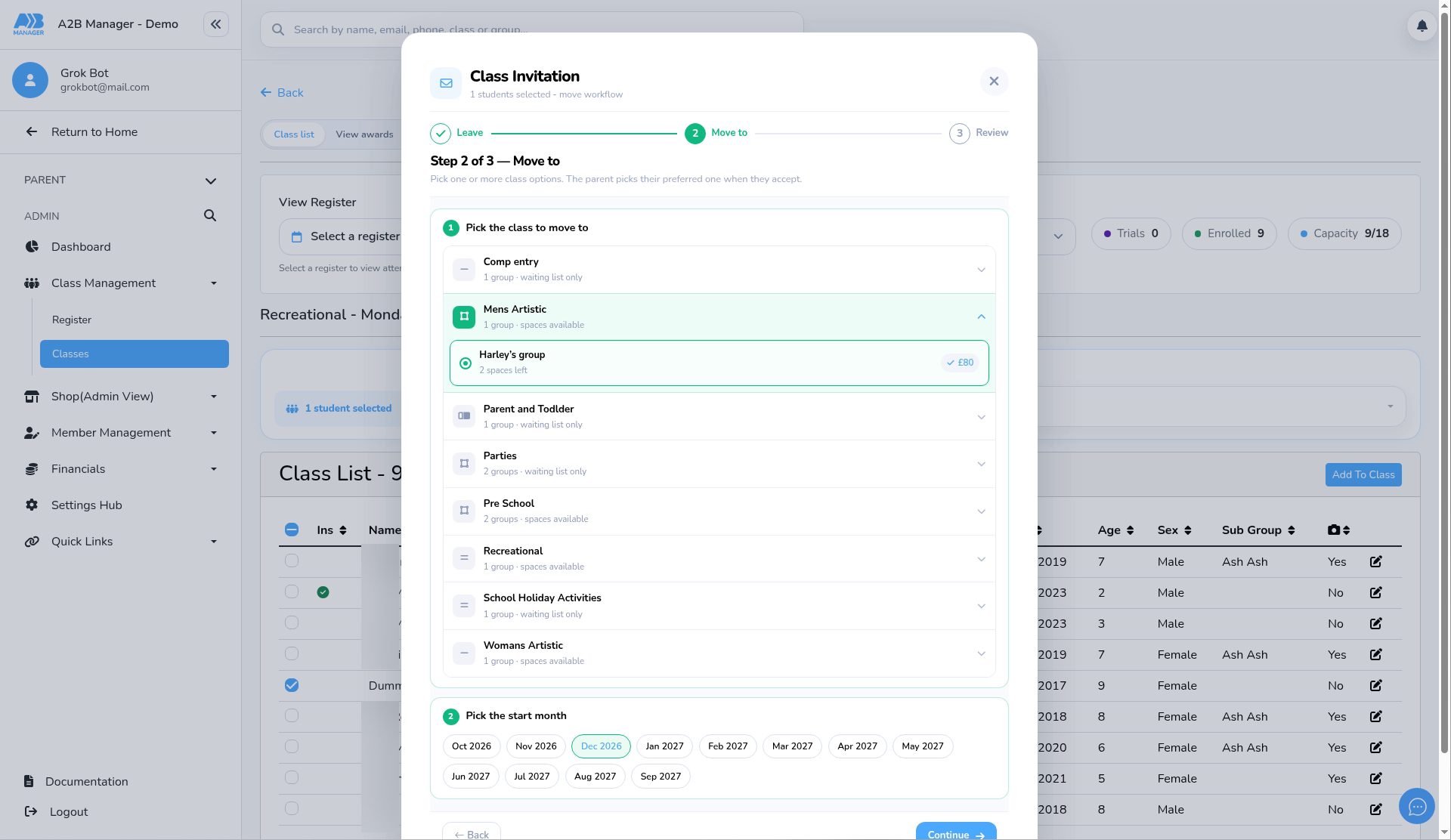
- Open Action type and choose Class Invitation. It isn’t on the main Members list.
- You can also start a class invitation from the classes section of a child’s profile.
Step 2: Leave (0:17) #
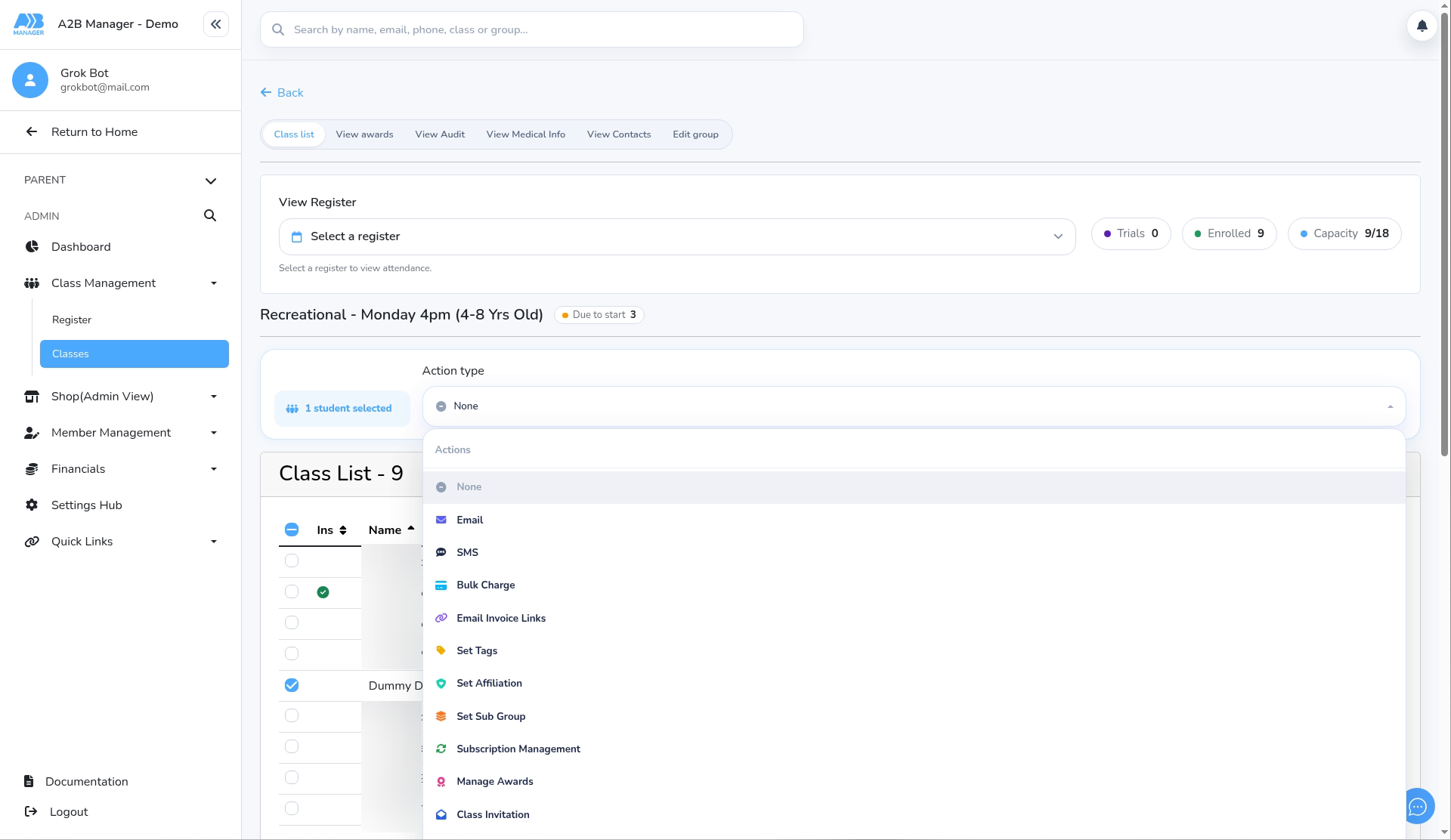
- The Class Invitation window opens on the Leave step.
- Enter an Invitation title (required), for example “Coach’s Trial – Harley’s group”. Notes are optional. Parents won’t see the title or notes; they’re for your audit log.
- Tick Set last lesson date & subscription end date when sending this invite if you want the current group’s last lesson and subscription end dates set when you send the invitation. Click the question mark for details.
- Move from is fixed to the class you opened. Click Continue.
Step 3: Move to (0:24) #
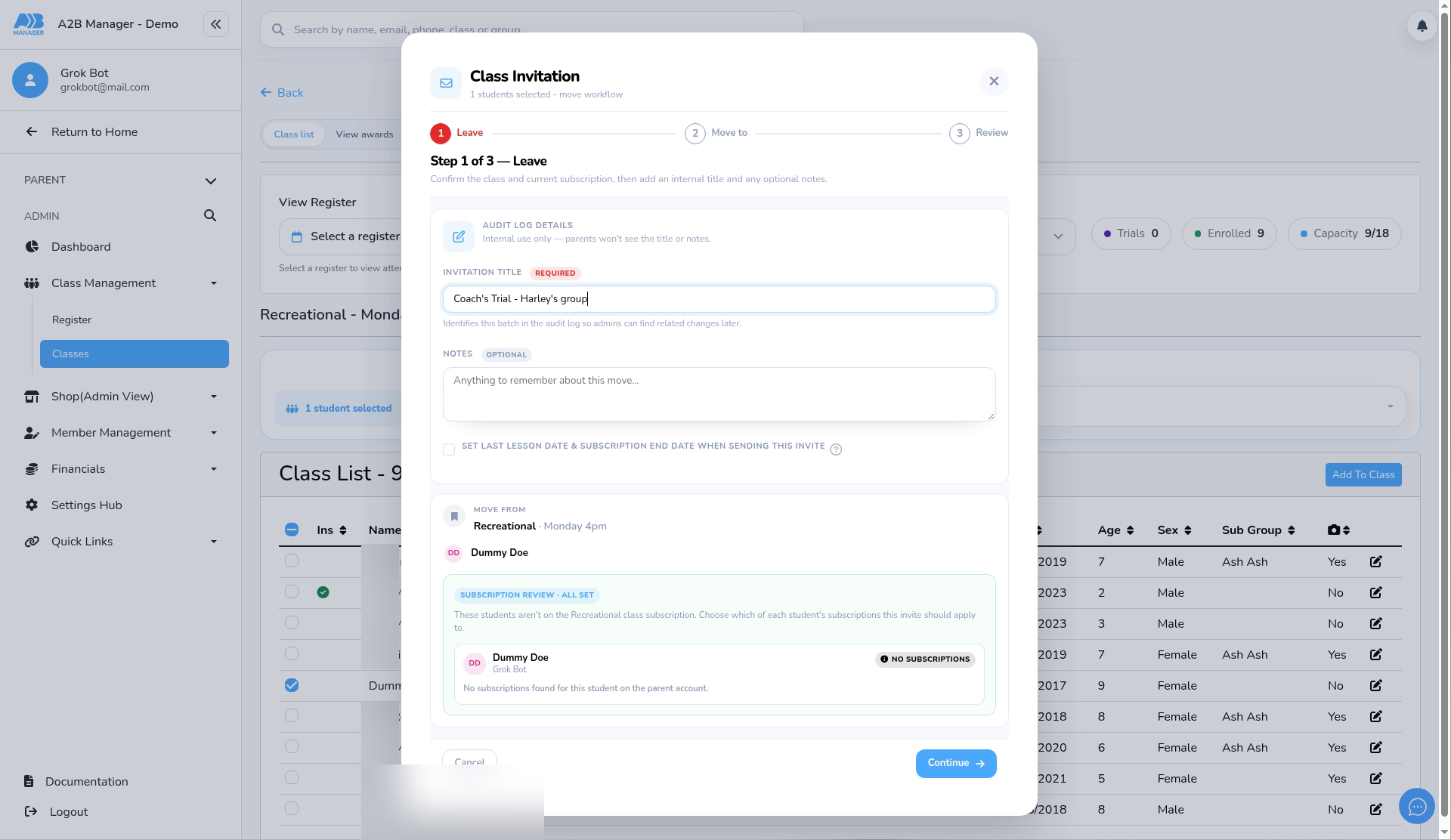
- Under Pick the class to move to, expand the class and choose the group they’re trialling.
- Under Pick the start month, choose the month, then click Continue.
Step 4: Review and switch on Coach’s Trial (0:33) #
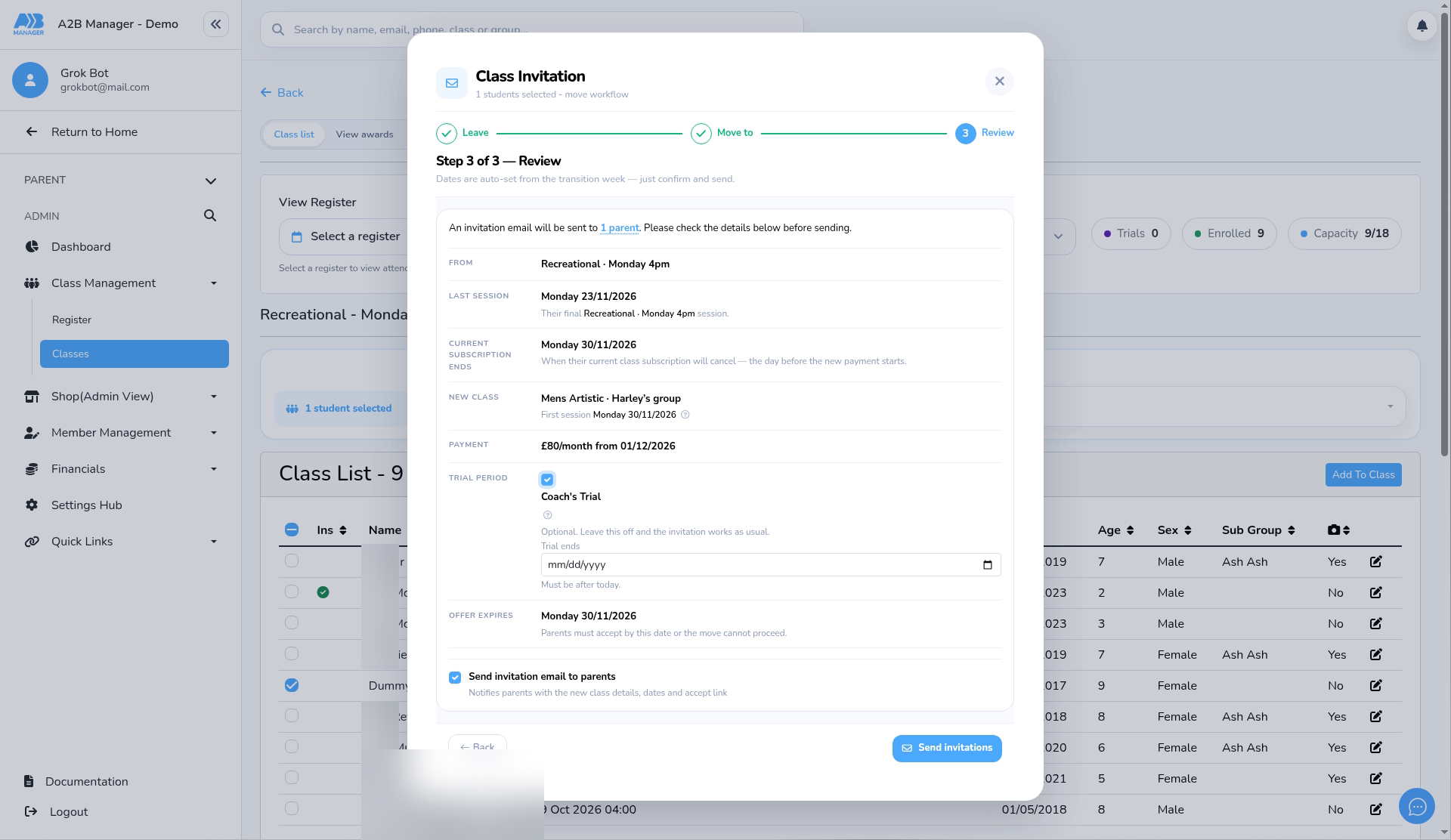
- Check From, Last session, Current subscription ends, New class and Payment.
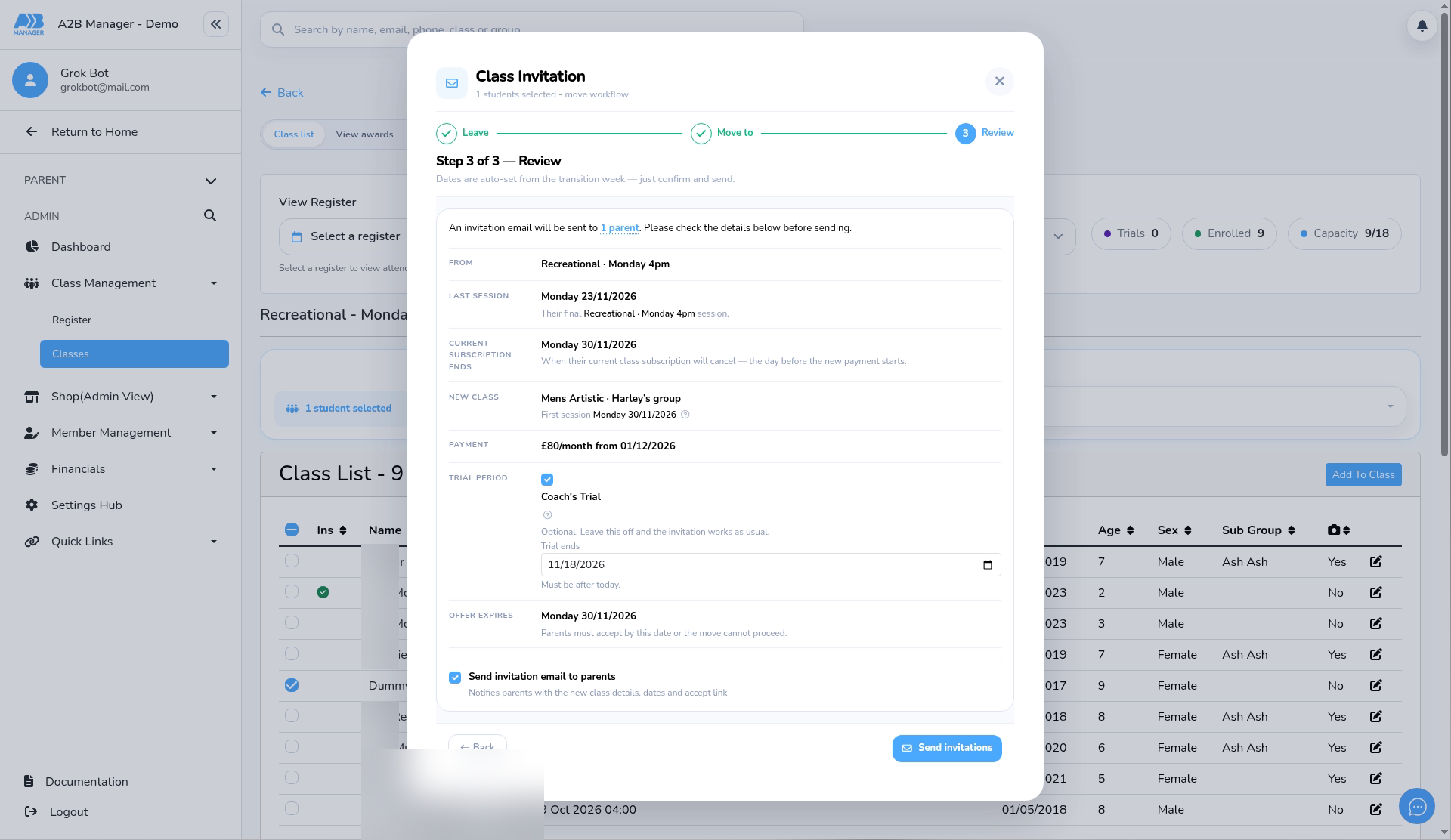
- Under Trial period, tick Coach’s Trial.
- Under Trial ends, pick the date the trial finishes. It must be after today.
Step 5: Send the invitations (0:43) #
- Check the Offer expires date. Parents must accept by then.
- Leave Send invitation email to parents ticked to email them the new class details, dates and an accept link.
- Click Send invitations. A child who already has an active invitation is skipped; expire or complete that invitation first.
After the parent accepts #
- The child moves into the new group with a blue Coach’s Trial label next to their name on the class list, register, Members page and their profile. Hover over or tap the label to see when the trial ends.
- To find everyone on a trial, use the Coach Trial filter in the Members search.
- You can follow each invitation on Member Management > Class Invitations.
When the trial ends #
- Nothing changes automatically on the end date. The child stays in the group and keeps the label, which now shows Trial Ended.
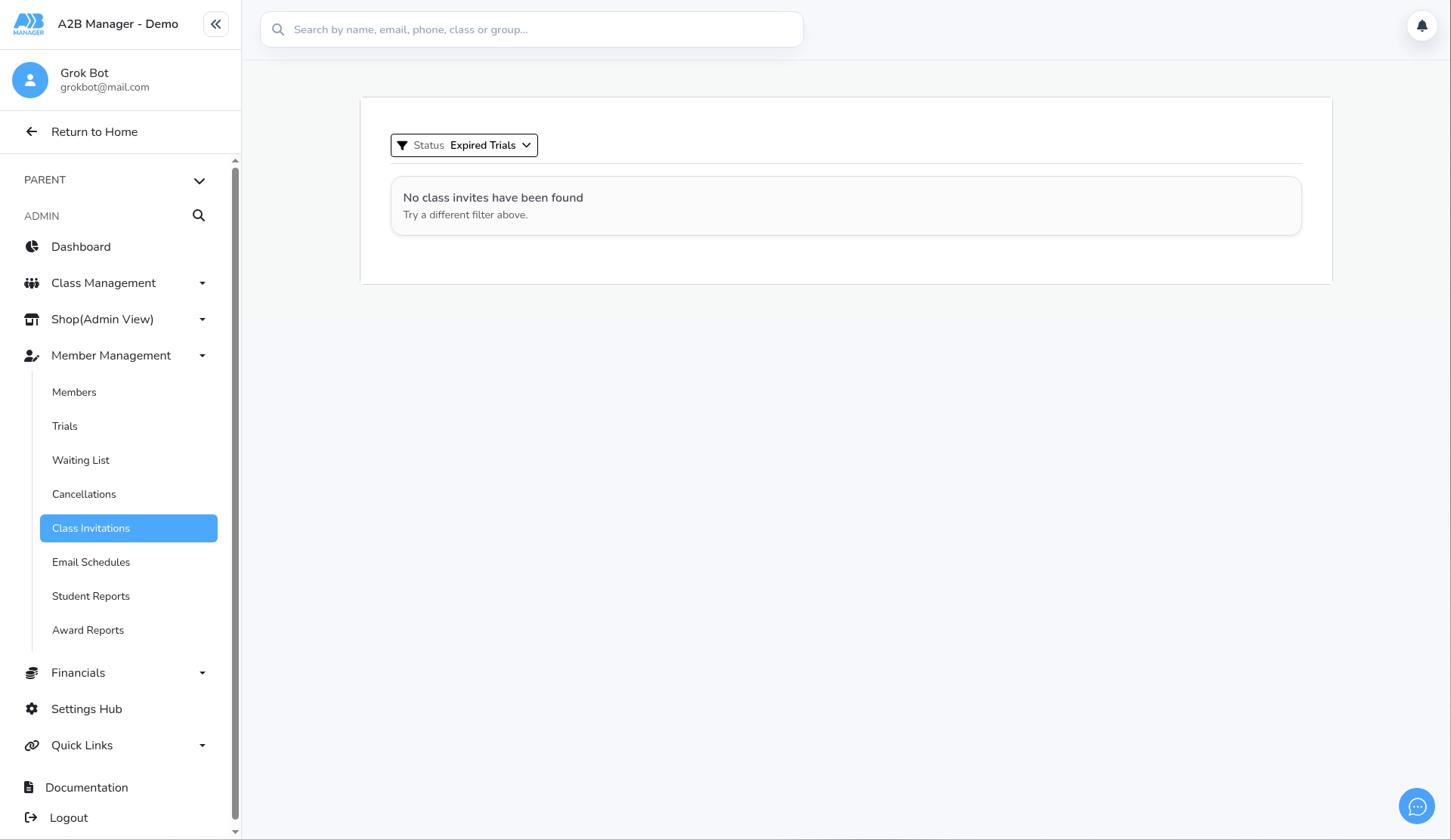
- Open Member Management > Class Invitations and choose the Expired Trials status filter. It lists accepted trials whose end date has passed.
- If the child is staying, click Remove Coach’s Trial label. If they aren’t, move or remove them as usual.