

Table of Contents
Parents can ask for a copy of the data your club holds about them and their children from their own account. This guide shows the parent’s steps, then how your club deals with the request in Settings Hub > GDPR Requests.
For parents: requesting your data #
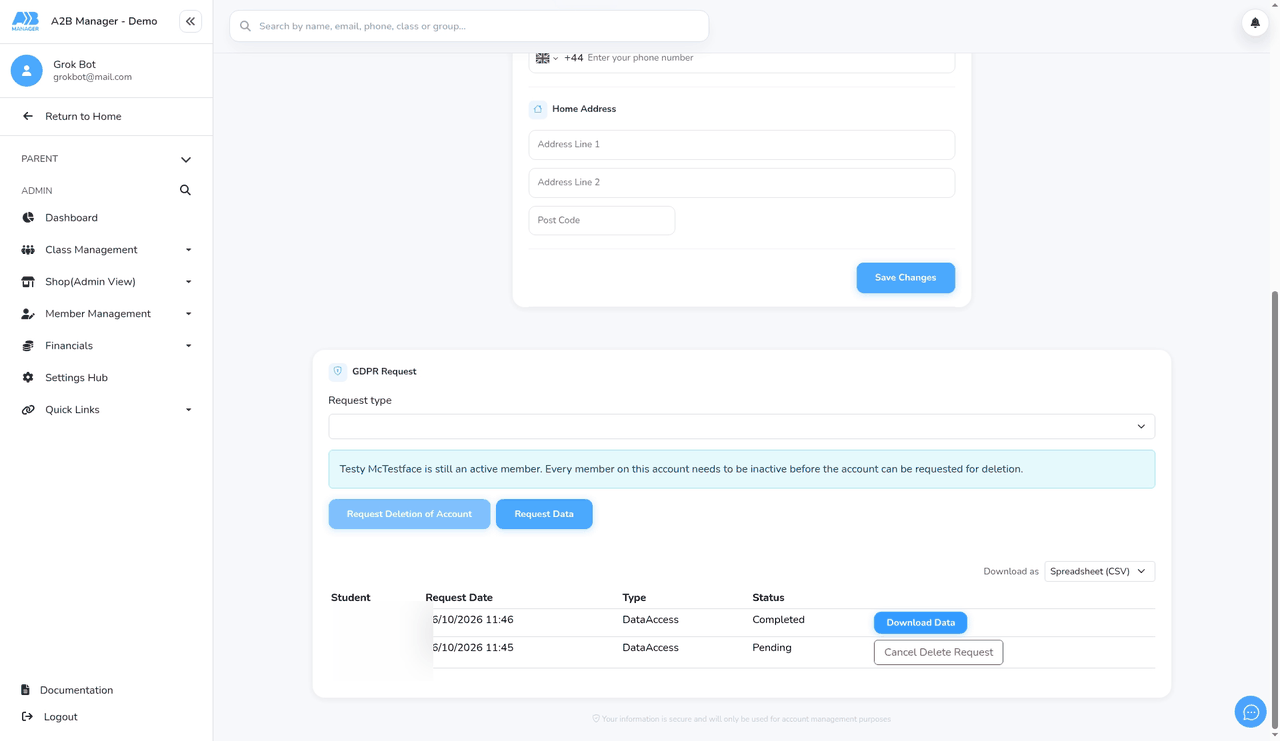
1. Open GDPR Request in My Details #
- Sign in, open your account menu and click My Details.
- Scroll down to the GDPR Request section.
2. Choose the request type #
- Under Request type, choose what the request covers. The options depend on your account, for example Individual child.
- If you’re asked to choose a child, pick them from the list.
- Don’t click Request Deletion of Account unless you want your account deleted. That’s a separate request.
3. Click Request Data #
- Click Request Data. The request appears in the list below with the status Pending, and your club is emailed to let them know.
4. Wait for the club #
- Your club reviews the request and marks it complete. You’ll then get an email saying your data is ready. For your security, the email doesn’t contain a download link.
5. Download your data #
- Go back to My Details > GDPR Request. The request now shows Completed.
- Under Download as, choose Spreadsheet (CSV) or JSON, then click Download Data.
For clubs: handling a GDPR data request #
Step 1: Open GDPR Requests (0:00) #
- When a parent makes a request, your club’s default email address receives a Parent Request Data email.
- In the left-hand menu, click Settings Hub. In the Legal & Compliance section, click the GDPR Requests card.
- Only club admins can see this page. Coaches can’t open it.
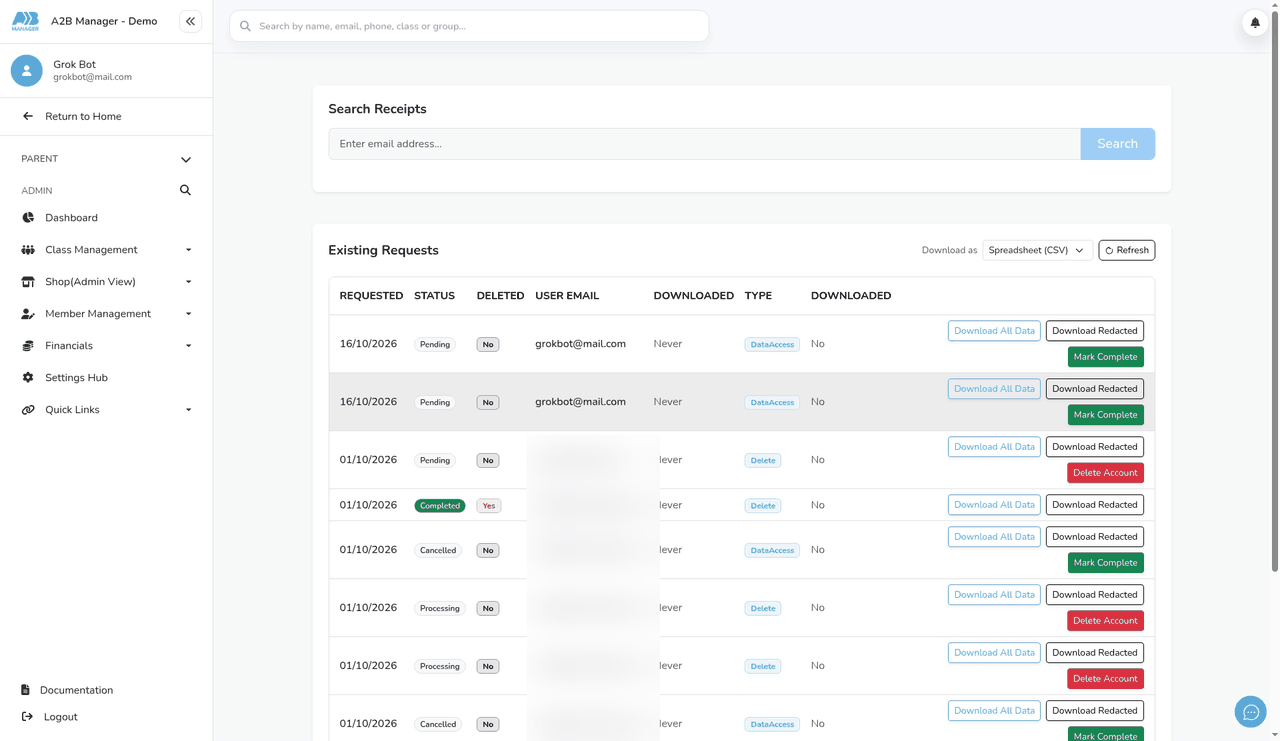
Step 2: Find the request (0:16) #
- Under Existing Requests, each row shows the date it was Requested, its Status, the parent’s User Email and its Type.
- A new data request shows as Pending, with the type DataAccess.
- Click Refresh if a new request isn’t showing.
- To look up a particular parent’s requests, type their email into Search Receipts and click Search.
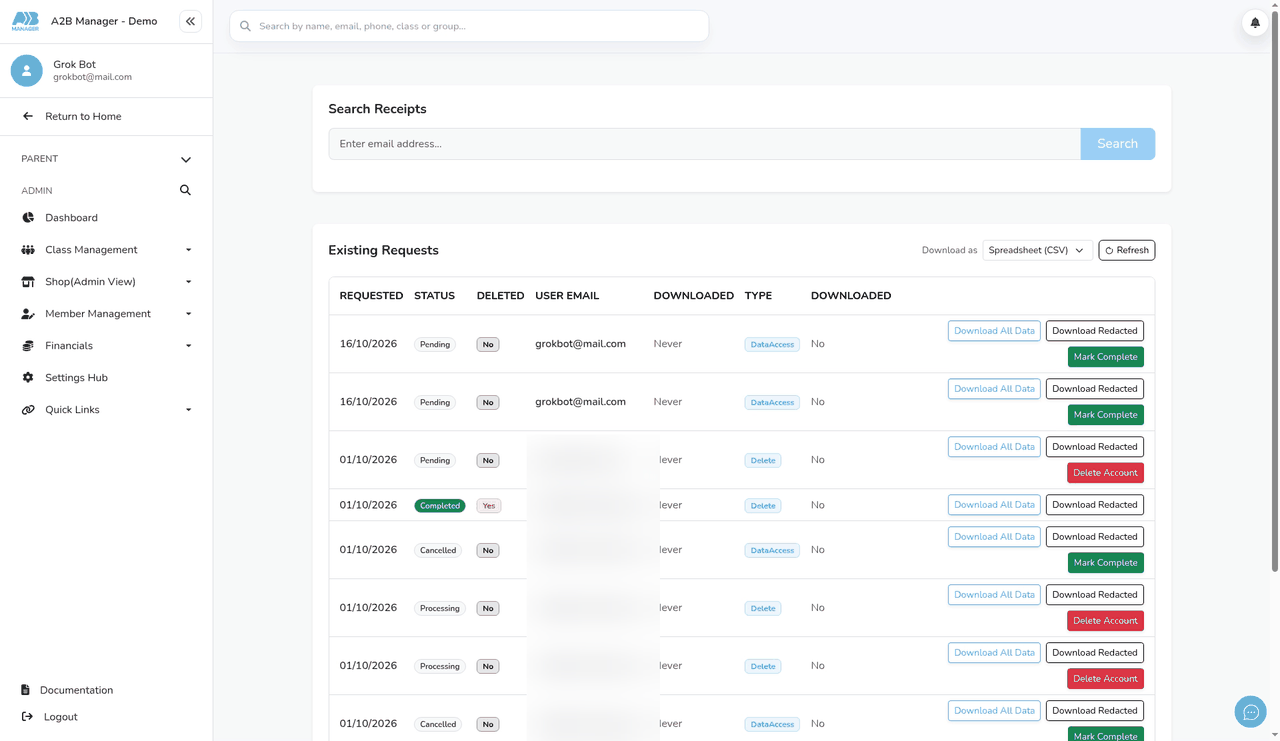
Step 3: Check the data (optional) (0:34) #
- Under Download as, choose Spreadsheet (CSV) or JSON.
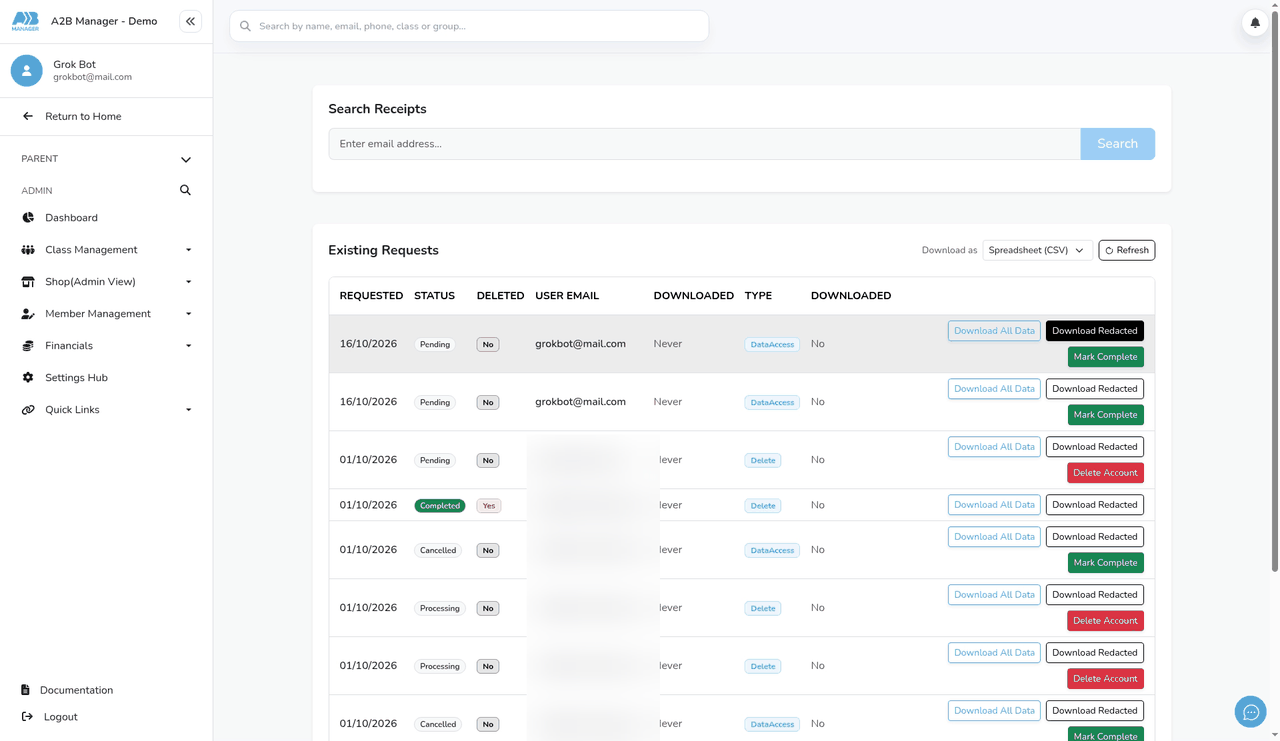
- Click Download Redacted to see the version the parent will get, or Download All Data for everything.
- The redacted version leaves out internal notes and reports that aren’t shared with parents.
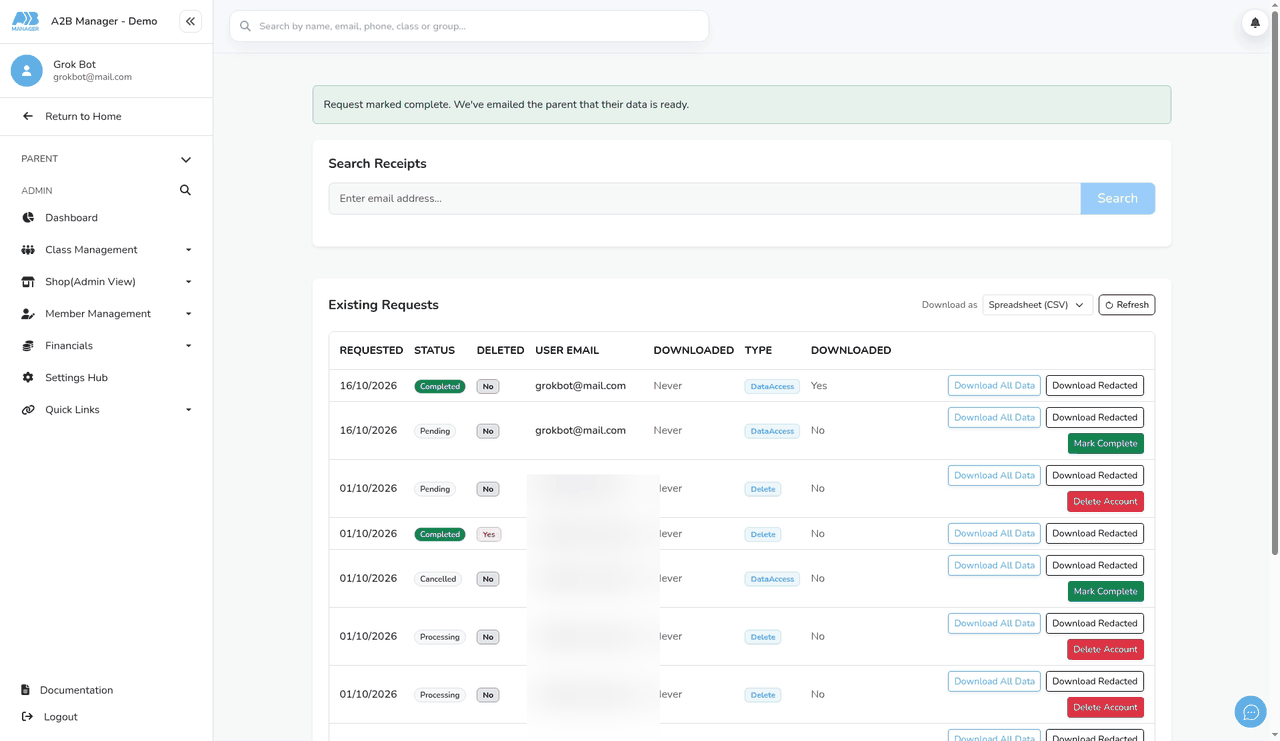
Step 4: Mark the request complete (0:45) #
- Click Mark Complete on the request. There’s no confirmation step, so check you’ve picked the right row.
- You’ll see Request marked complete. We’ve emailed the parent that their data is ready. and the status changes to Completed.
Step 5: What the parent receives (0:58) #
- The parent receives an email saying their data is ready and asking them to sign in and go to My Details. There’s no download link in the email.
- In My Details > GDPR Request, the request shows Completed with a Download Data button. They can choose a spreadsheet (CSV) or JSON.
- The parent gets the redacted version, which leaves out internal notes and reports not shared with parents. The file contains the data held when they made the request, in sections such as account, child, contacts, classes, registers, awards and emails. Empty sections are left out.
Good to know #
- You can’t reject or delete a data request. A parent can cancel their own request while it’s still Pending.
- You can change the wording of both emails in your email content settings: Parent Request Data (to the club) and Data Request (to the parent).
- The club email is only sent if your club has a default email address set up.
Tip: Click Download Receipt in Search Receipts if you need a text record of a request for your own files.


