

Table of Contents
As a club admin, you can set a new password for a parent from Manage Parents. The parent doesn’t need their old password.
Resetting a parent’s password #
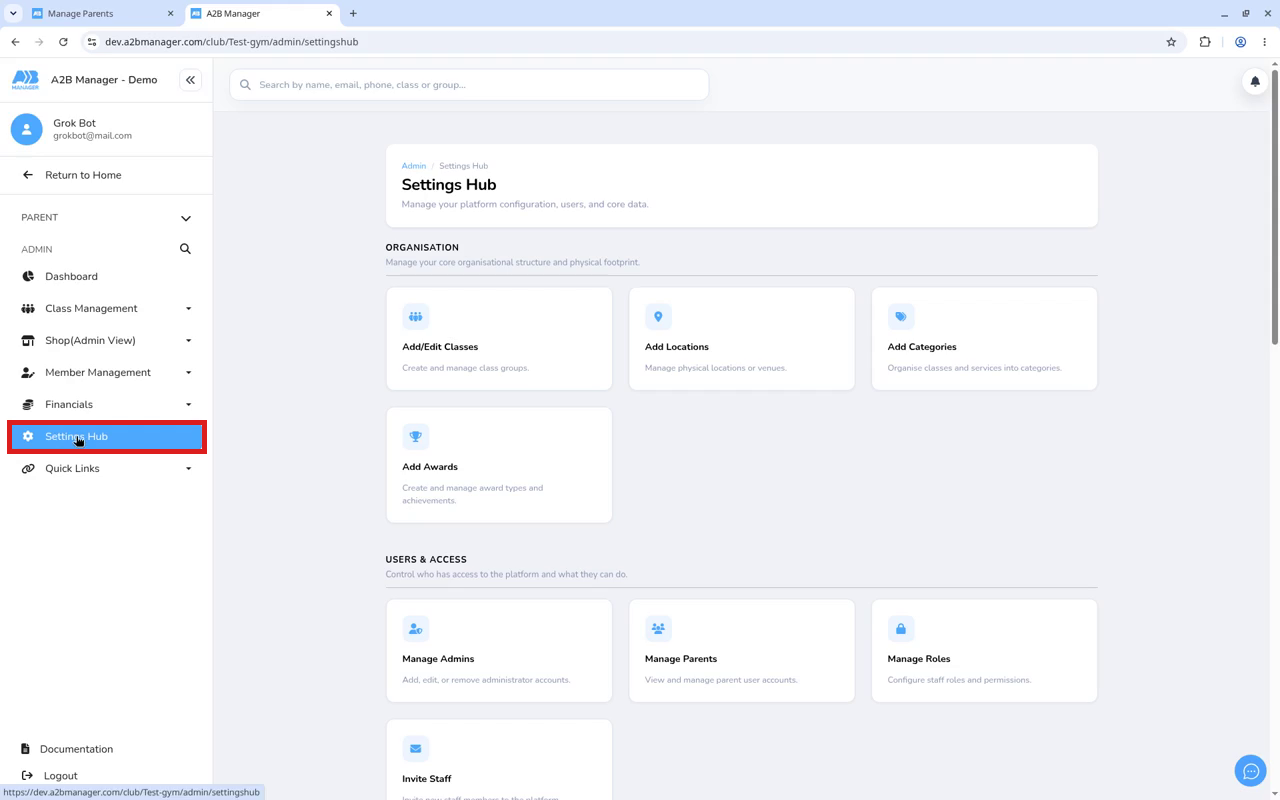
Step 1: Open Settings Hub (0:00) #
- Log in to your club’s admin area.
- In the left sidebar, click Settings Hub.
Step 2: Open Manage Parents (0:08) #
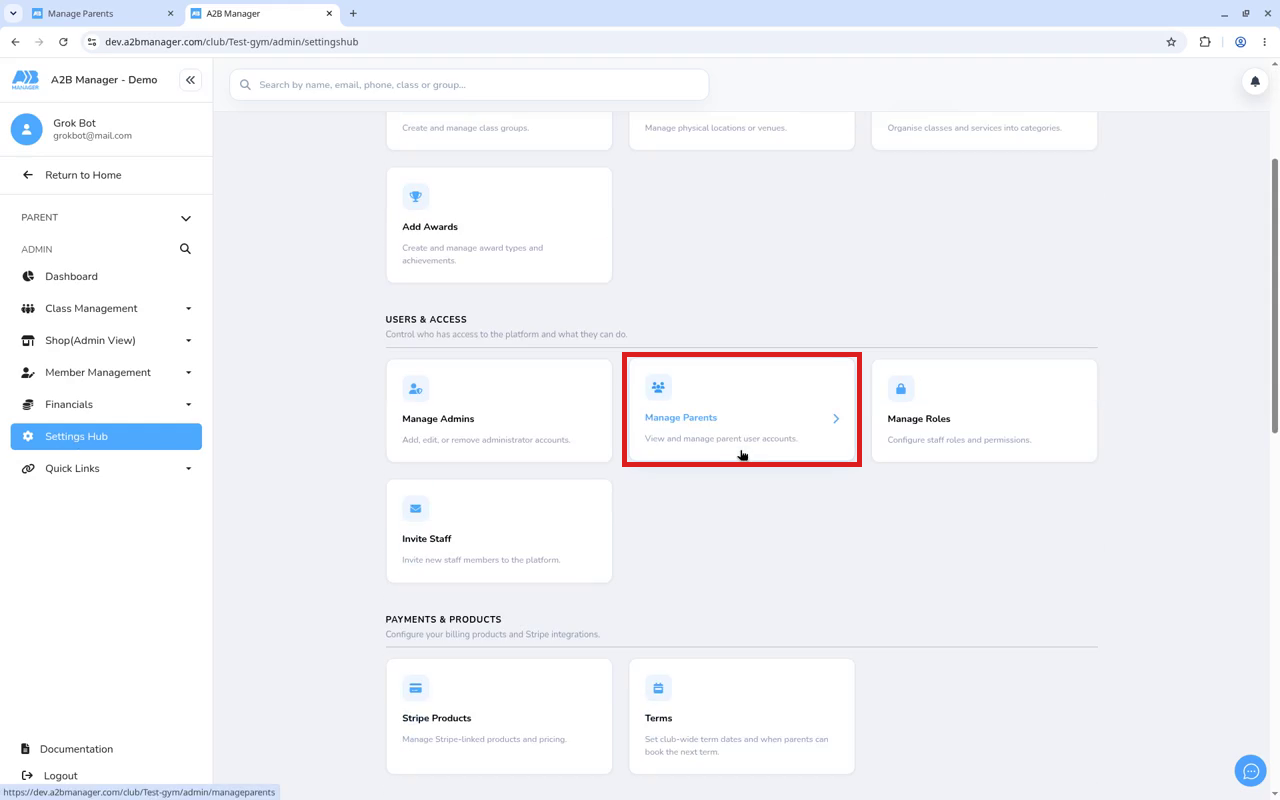
- Scroll down to Users & Access.
- Click Manage Parents. You’ll see a list of your club’s parents.
Step 3: Find the parent and click Edit (0:14) #
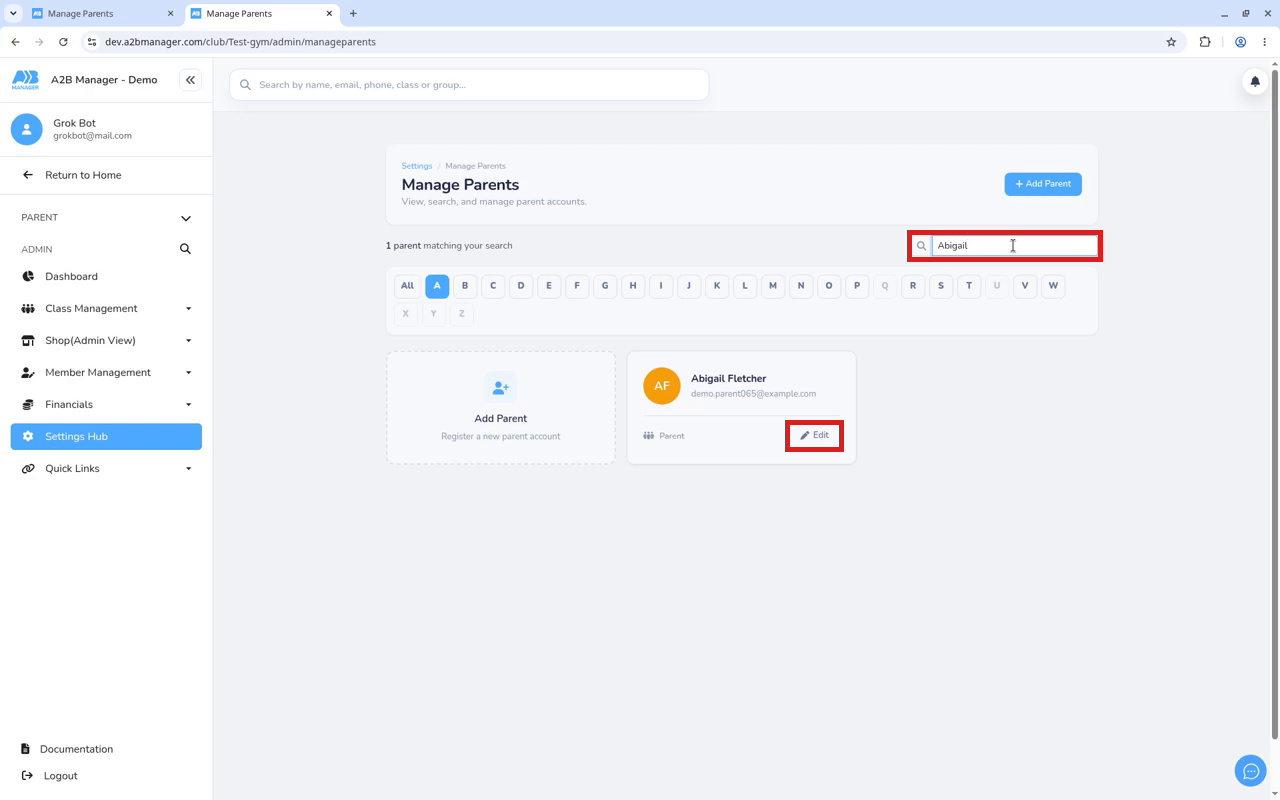
- Search by the parent’s name or email address.
- On their card, click Edit (the pen icon).
Step 4: Enter the new password (0:22) #
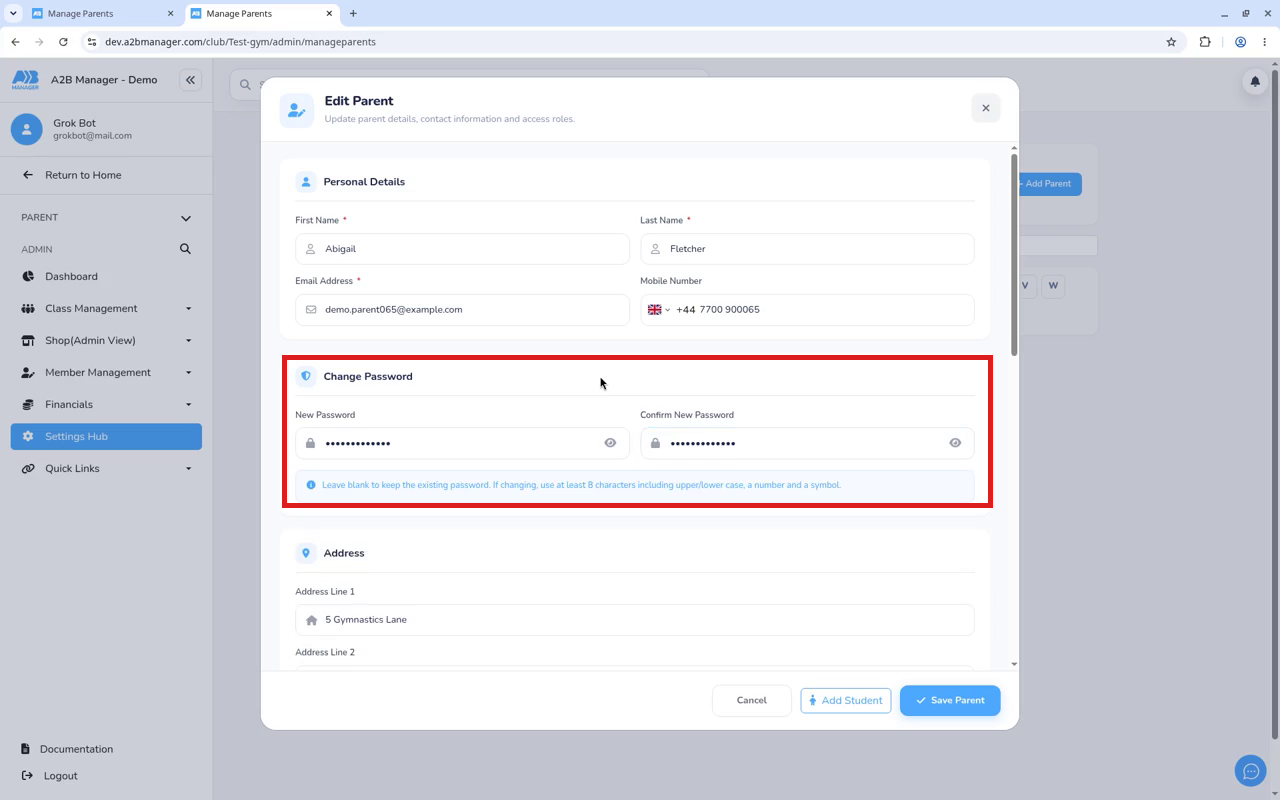
- In the Edit Parent pop-up, scroll down to Change Password.
- Type the password in New Password and again in Confirm New Password.
- If you leave both fields blank, the parent’s existing password stays the same.
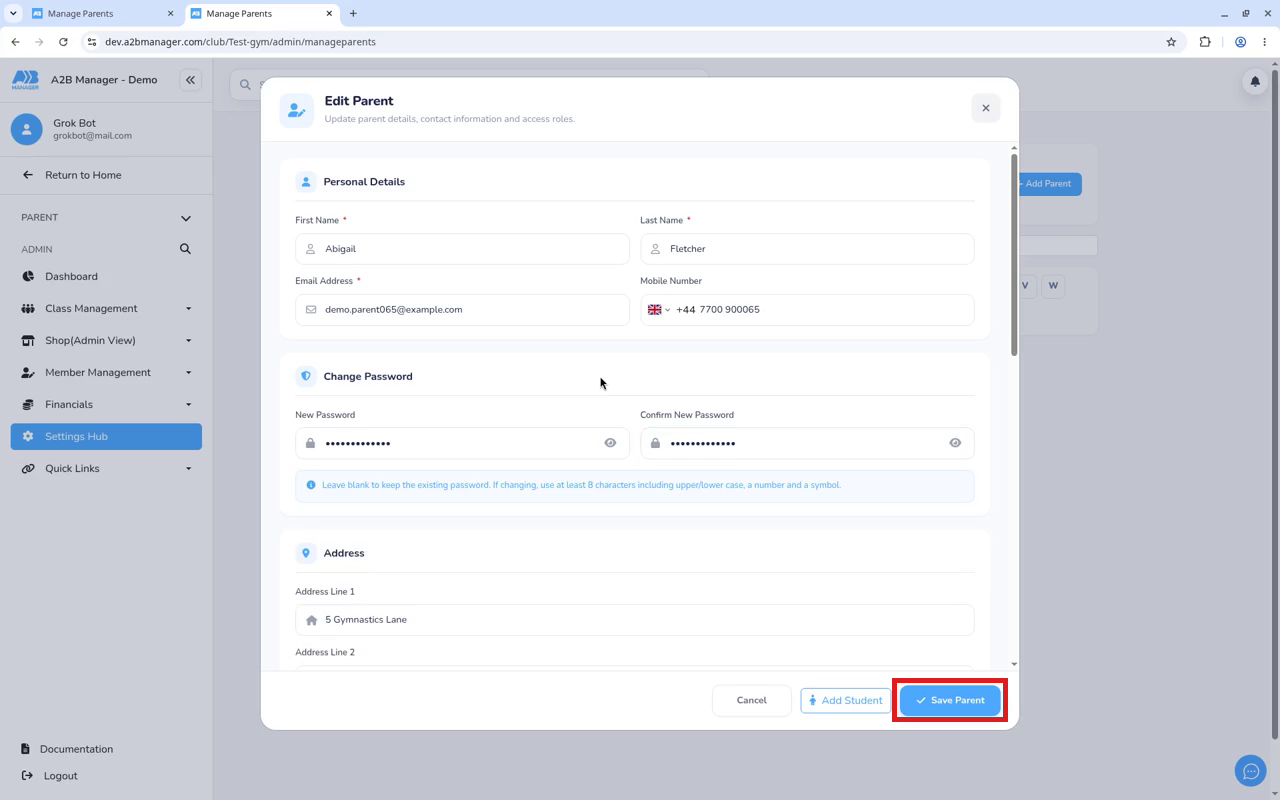
Step 5: Click Save Parent (0:32) #
- Click Save Parent at the bottom of the pop-up.
- The pop-up closes and the new password works straight away.
Step 6: Let the parent know #
- Give the parent their new password securely, for example in person or by phone, not in a group chat.
- Suggest they change it after logging in.
Password rules #
- At least 8 characters.
- At least one uppercase and one lowercase letter.
- At least one number and one special character (for example ! or #).
- It can’t be a password the parent has used recently.
Tip: Parents can also reset their password themselves using Forgot your password? on the login screen. See How to reset your password.


