

Table of Contents
Any email template can also send a short text to the parent’s mobile. The text uses the same insert fields as the email. If texts are switched off, there is no UK mobile, the parent has opted out, or there is no credit, the text is skipped and the email still sends.
Before you start #
- You need admin access to the Email Template Builder.
- To actually deliver texts later, texts must be switched on for the club with credit and a UK mobile on the parent — see your SMS set-up guide.
Adding a text to an email template #
Step 1: Open an email template #
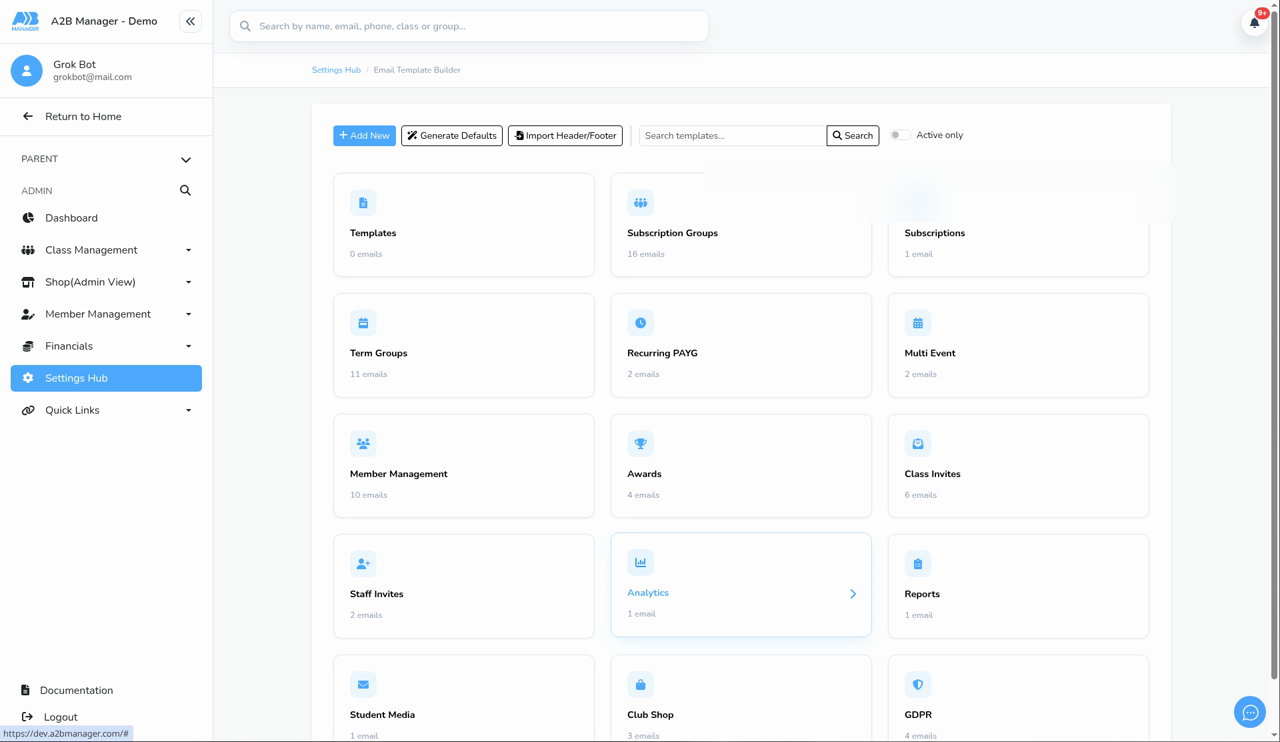
- Go to Settings Hub > Communication > Email Template Builder.
- Open any template (every template can also send a text).
Step 2: Turn on Also send a text #
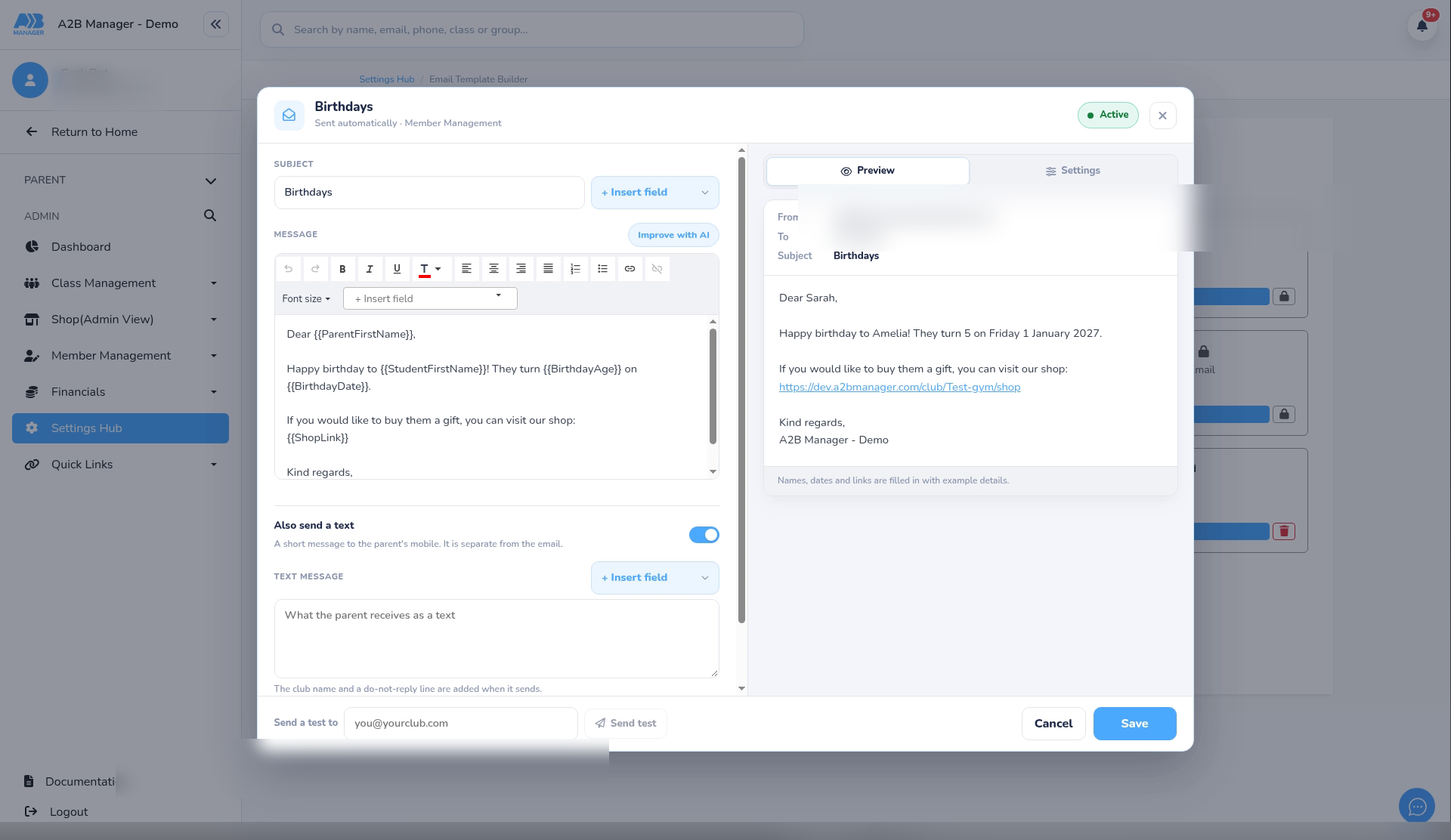
- Find Also send a text under the email editor.
- Turn the switch on. The hint says it is a short message to the parent’s mobile, separate from the email.
Step 3: Write the text and insert fields #
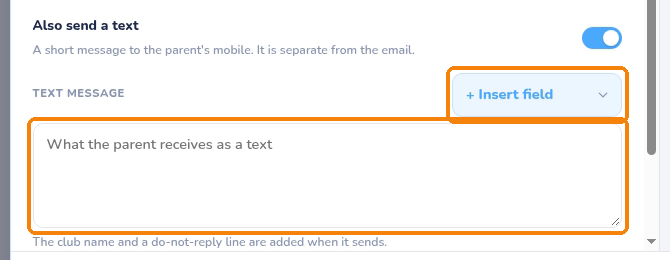
- Write the Text message (up to 1,000 characters). The length hint shows how the composed text counts toward SMS units.
- Use + Insert field for the same fields as the email (names, class times and locations, and so on).
- Class times and locations from those fields are written as plain readable text in the SMS (not as HTML).
- If texts are switched off for the club, you can still save the text — it sends once texts are on and there is credit.
- You cannot save with the switch on and an empty text, or with a text that is too long.
Step 4: When the text is skipped #
- When the email goes out, the club tries to send the text afterwards.
- The text is skipped (and the email still sends) if texts are off, there is no valid UK mobile, the parent has opted out, there is not enough credit, or there is nothing left to say after the fields are filled.
Good to know #
- The email and the text are separate. A failed or skipped text does not stop the email.
- On the shared sender, the club name can appear at the front of the text and a do-not-reply line at the end.
- For turning texts on and buying credit, see How to Set Up and Send SMS Text Messages. For general template editing, see How to Add New Email Templates.
Tip: Keep template texts short — the club name and do-not-reply line use some of the characters parents pay for in units.


